Exceptional gifting. Our Samsung Galaxy gift guide features smartphones and wearables.
Last updated: November 3rd, 2023 at 03:58 UTC+01:00
SamMobile has affiliate and sponsored partnerships, we may earn a commission.
Reading time: 2 minutes
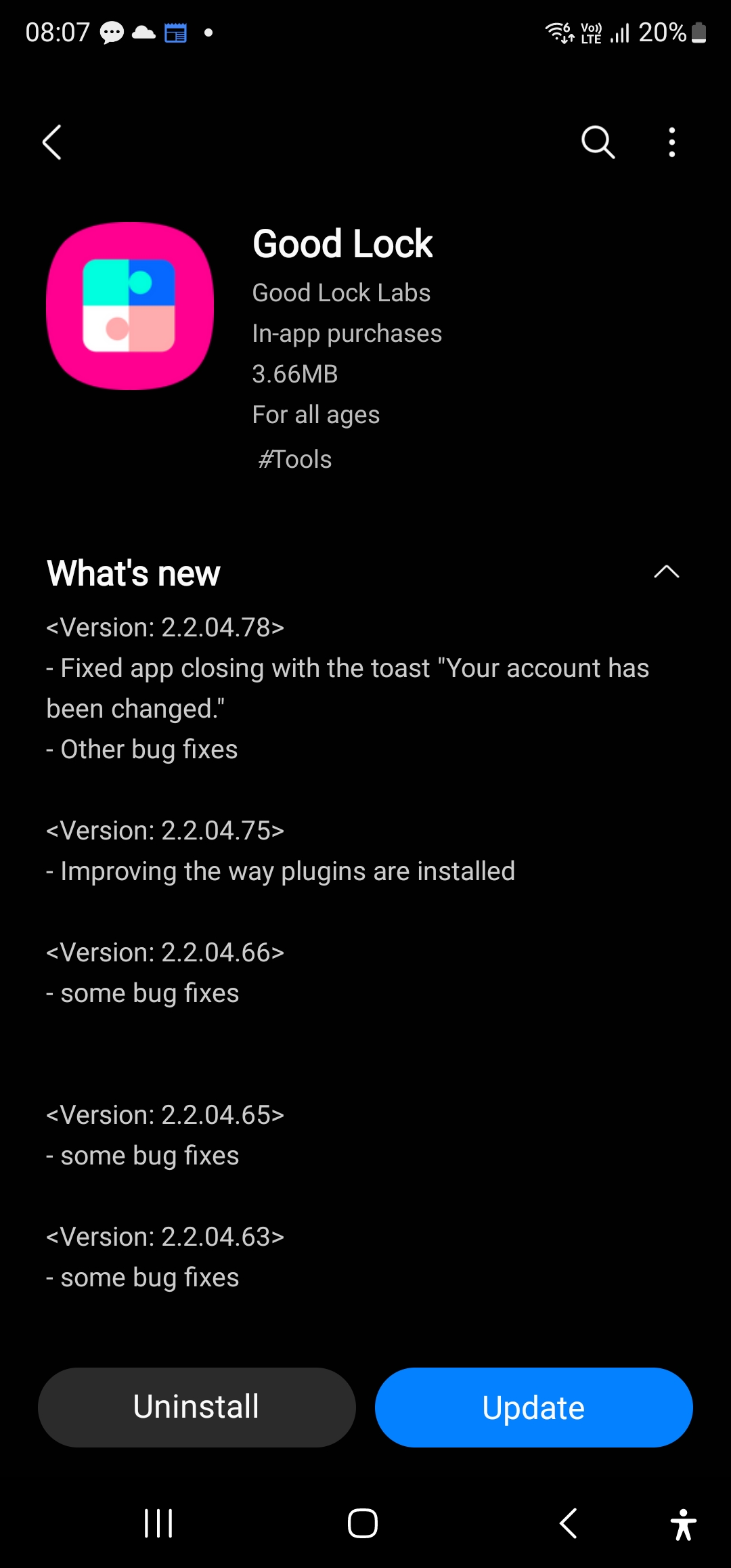
And now, for a change, the main Good Lock app that acts as a landing page for all of its plugins is getting an update. The latest Good Lock update bumps the version number up to 2.2.04.78 and is all about bug fixes. However, the changelog doesn't flesh out exactly what bugs have been fixed, except one that caused the app to crash and throw up a “Your account has been changed” message.
That crash is actually quite a nuisance at times and often happens when you switch back to Good Lock after sending it to the background and using some other apps. Hopefully, now that a fix is in place, it won't continue to be an issue or require more fixing in the future.
To download the newest version of Good Lock, open the Galaxy Store on your phone and navigate to its Updates section (you can do this by tapping the Updates button in the bottom bar or in the hamburger menu that shows up when you swipe in from the left side of the screen). Another way to do it is to open the Good Lock, tap the More options button (the one with three vertical dots), and select Update.
Abhijeet's writing career started with guides for custom firmware for Samsung devices (including the original Galaxy S), and he moved to SamMobile in mid-2013 and worked up the ranks to Editor-in-chief. In addition to phones and mobile devices, his interests include gaming on both PC and console, PC hardware, and spending countless hours on YouTube watching videos on tech, movies, games, politics, and internet dramas.