Exceptional gifting. Our Samsung Galaxy gift guide features smartphones and wearables.
Last updated: March 23rd, 2023 at 05:58 UTC+01:00
SamMobile has affiliate and sponsored partnerships, we may earn a commission.
Reading time: 2 minutes
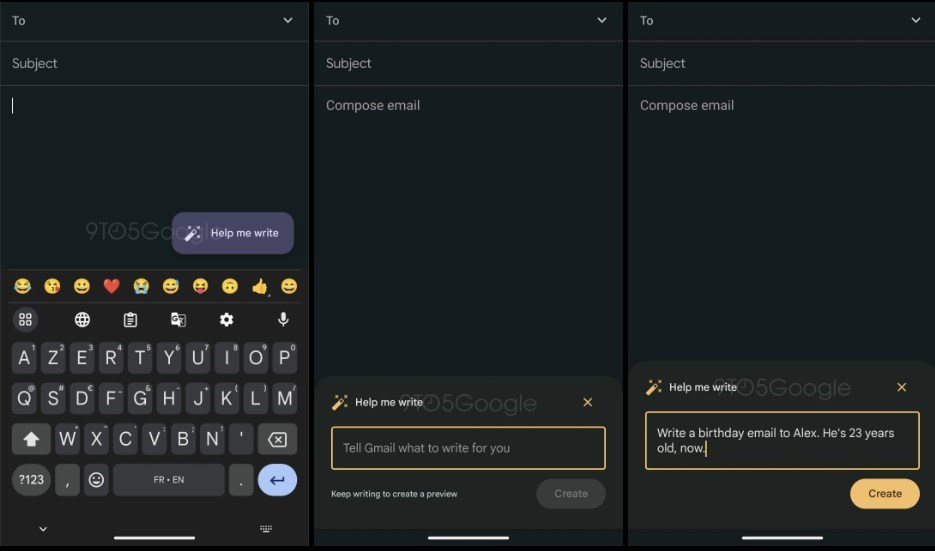
Google has started testing a limited feature set, and in an APK Insight post, folks at 9To5Google decompiled the latest version of the Gmail app to show how the features look in action. In the Gmail app v2023.03.05.515729449, after enabling the ‘Help me write' FAB on the compose screen within the app. The ‘Help me write' button has a wand icon with sparkles.
Tapping on this wand icon of the ‘Help me write' option opens a text box where you can see the placeholder ‘Tell Gmail what to write for you.' If you type in a short prompt, then Gmail will ask you to elaborate a bit more. After you have completed your prompt, you need to hit the ‘Create' button.
In addition to this generative AI feature in Gmail, the email app will get a ‘Refine my message' feature. Apparently, if you have written something in the email body, you can tap on this ‘Refine my message' button to let Google improve or clarify the mistakes in the body. You can choose the generated suggestion or opt for another one by tapping on the ‘View another' option. You can also rate the generated suggestions by giving a thumbs up or down.
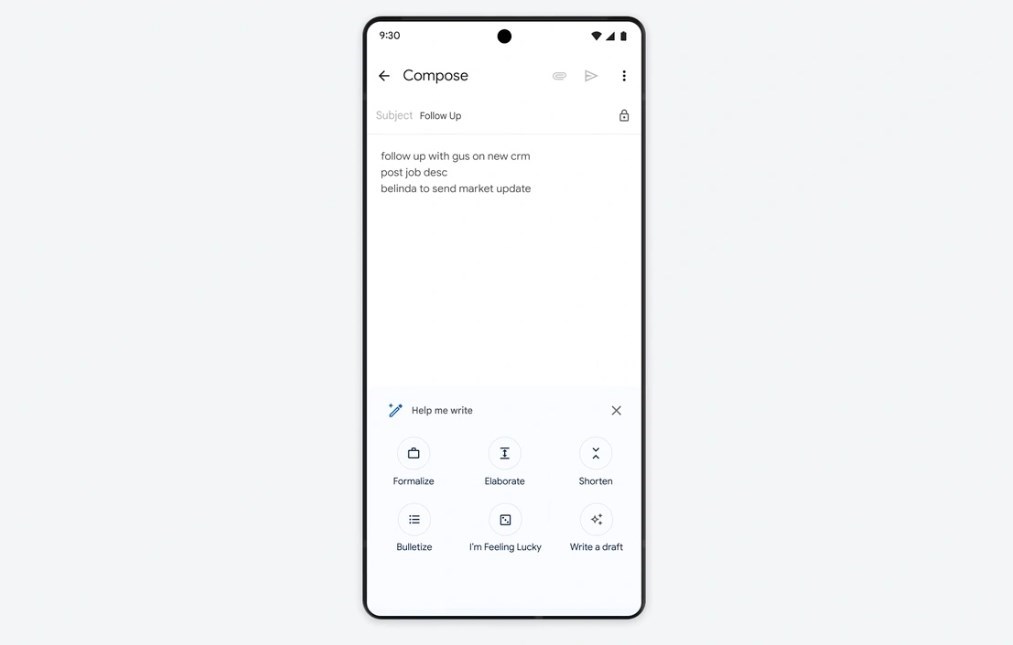
Google also showcased the ability to Formalize, Elaborate, Shorten, and Bulletize text. Google is working on all these features, but it has started testing out just the ‘Help me write' and ‘Refine my message' in Gmail. Do note that these features were spotted in an APK Insight post, and Google may or may not include one or any of the features spotted in the latest version of the APK.