12 days until XMAS. Our Samsung Galaxy gift guide features smartphones and wearables.
Last updated: November 27th, 2023 at 17:25 UTC+01:00
SamMobile has affiliate and sponsored partnerships, we may earn a commission.
Reading time: 2 minutes
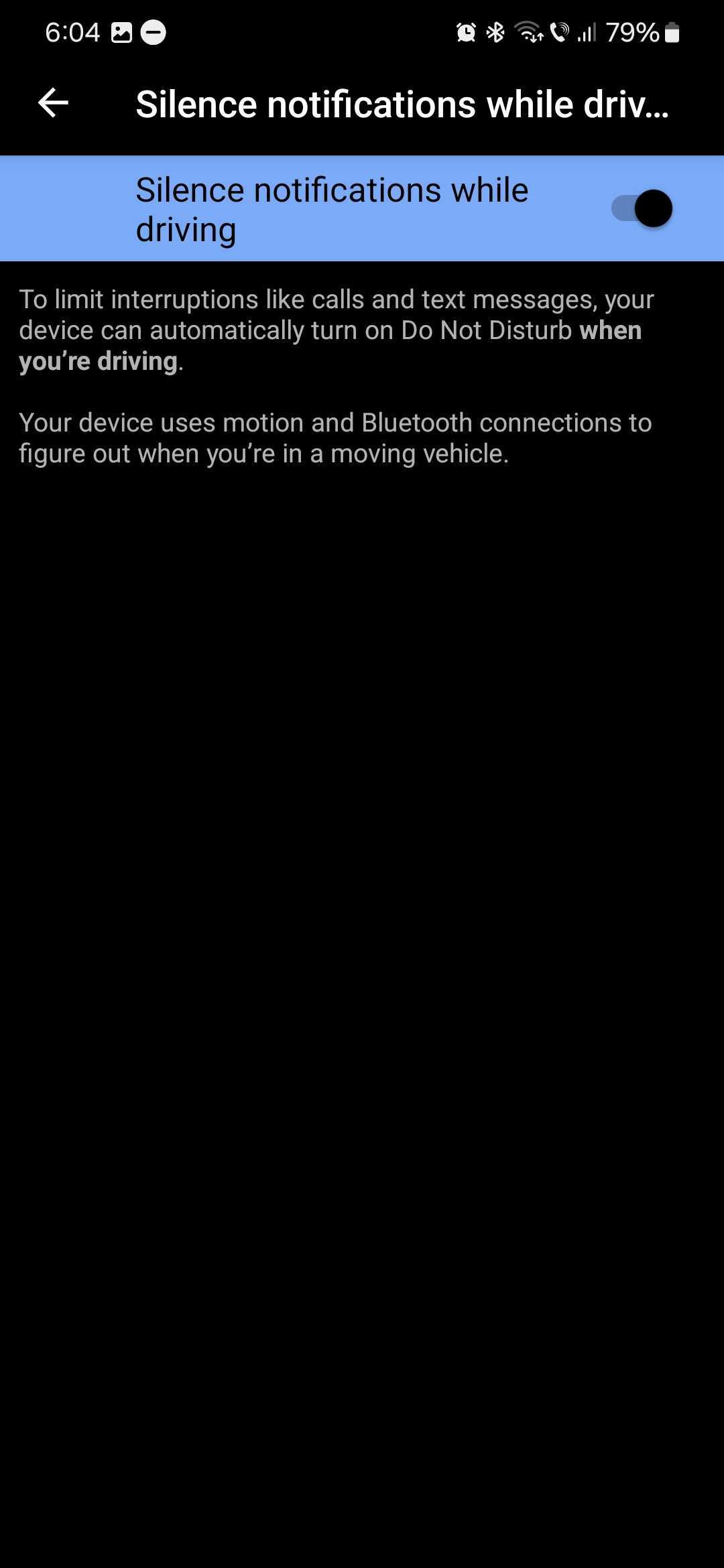
Android 14 introduced a new feature called “Silence notifications while driving.” This isn't a One UI 6.0-specific feature, and every Android 14 phone should have it, but we're using a One UI 6.0 phone for this example.
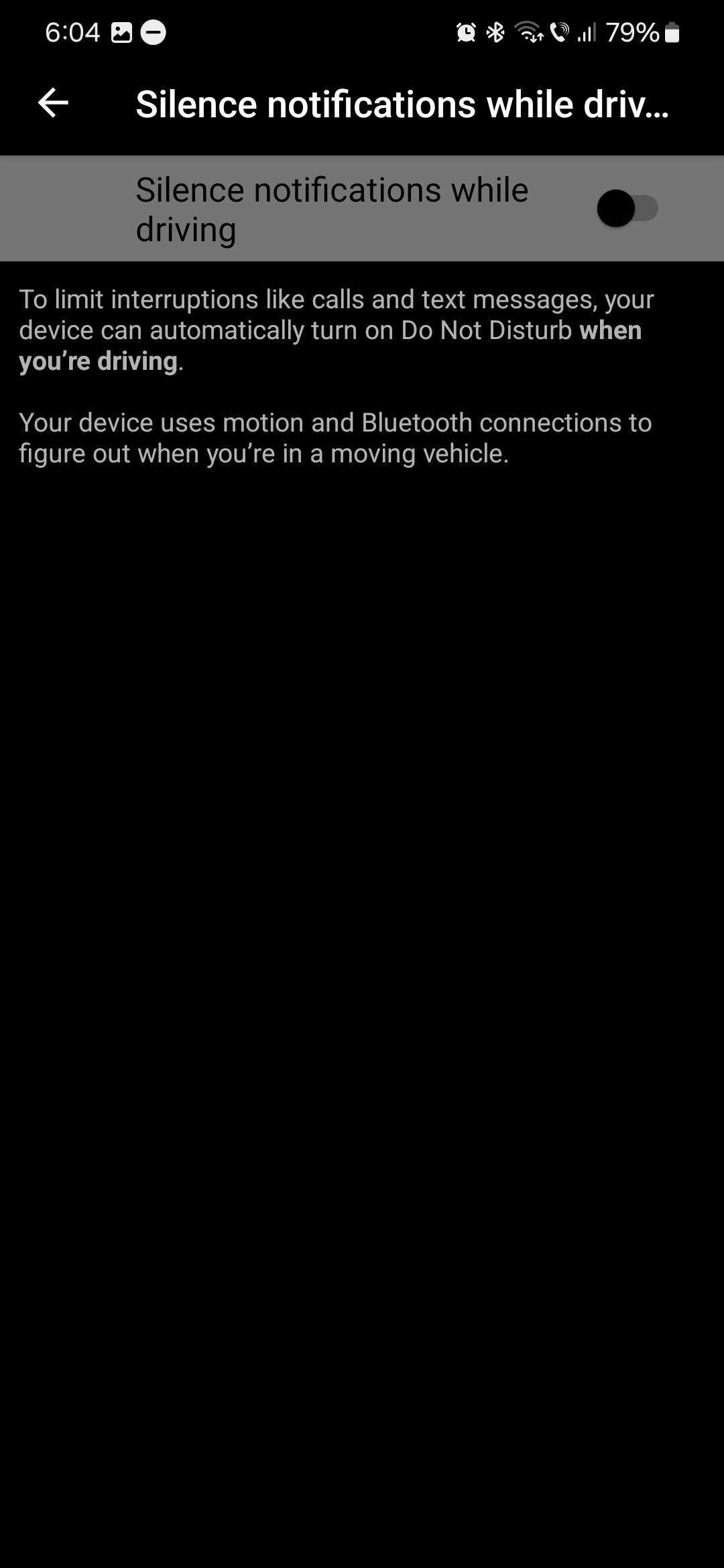
The “Silence notifications while driving” feature does exactly what it says and enables Do Not Disturb on your phone whenever you're driving.
This tool uses your Galaxy phone's motion sensors and Bluetooth connections to figure out if you're in a moving vehicle. It will then enable DND to limit interruptions like calls and text message notifications.
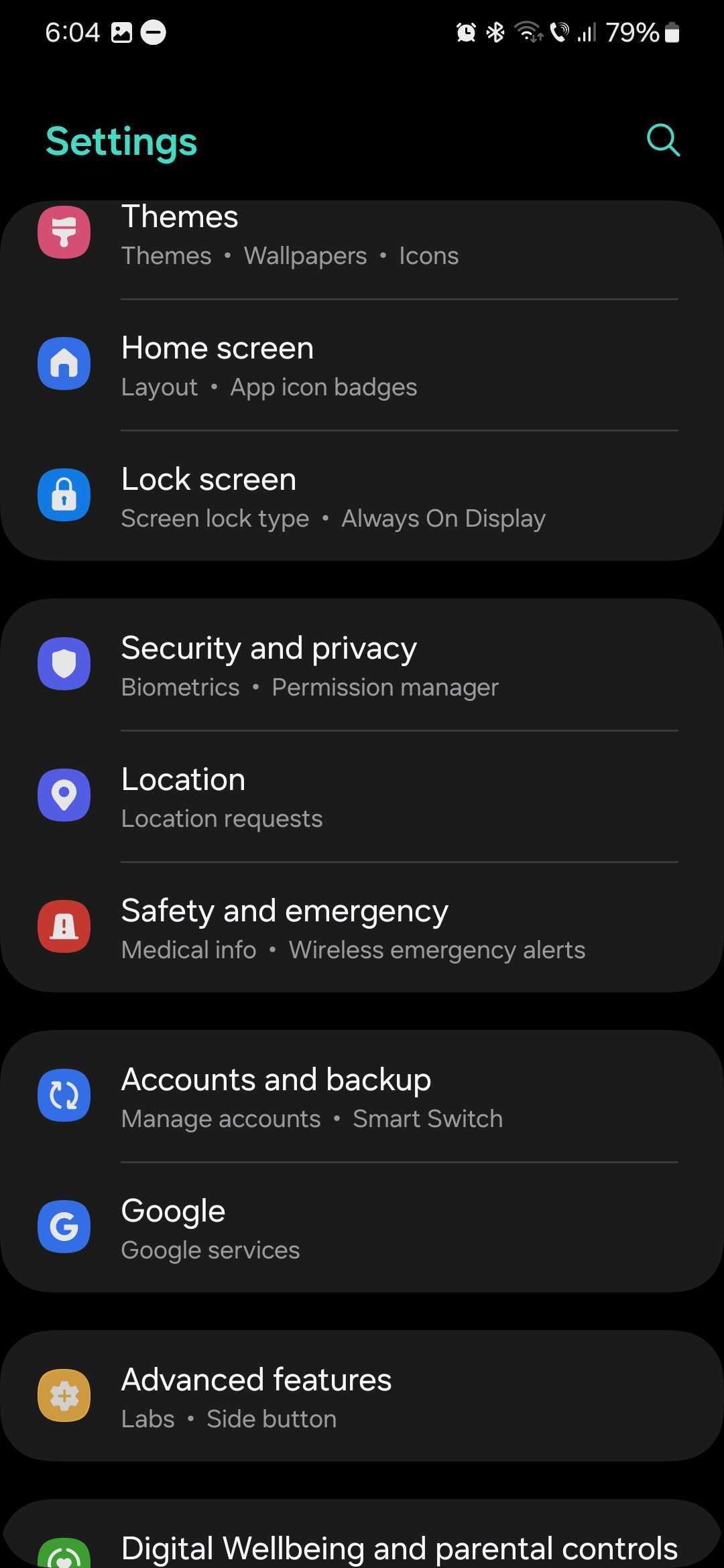
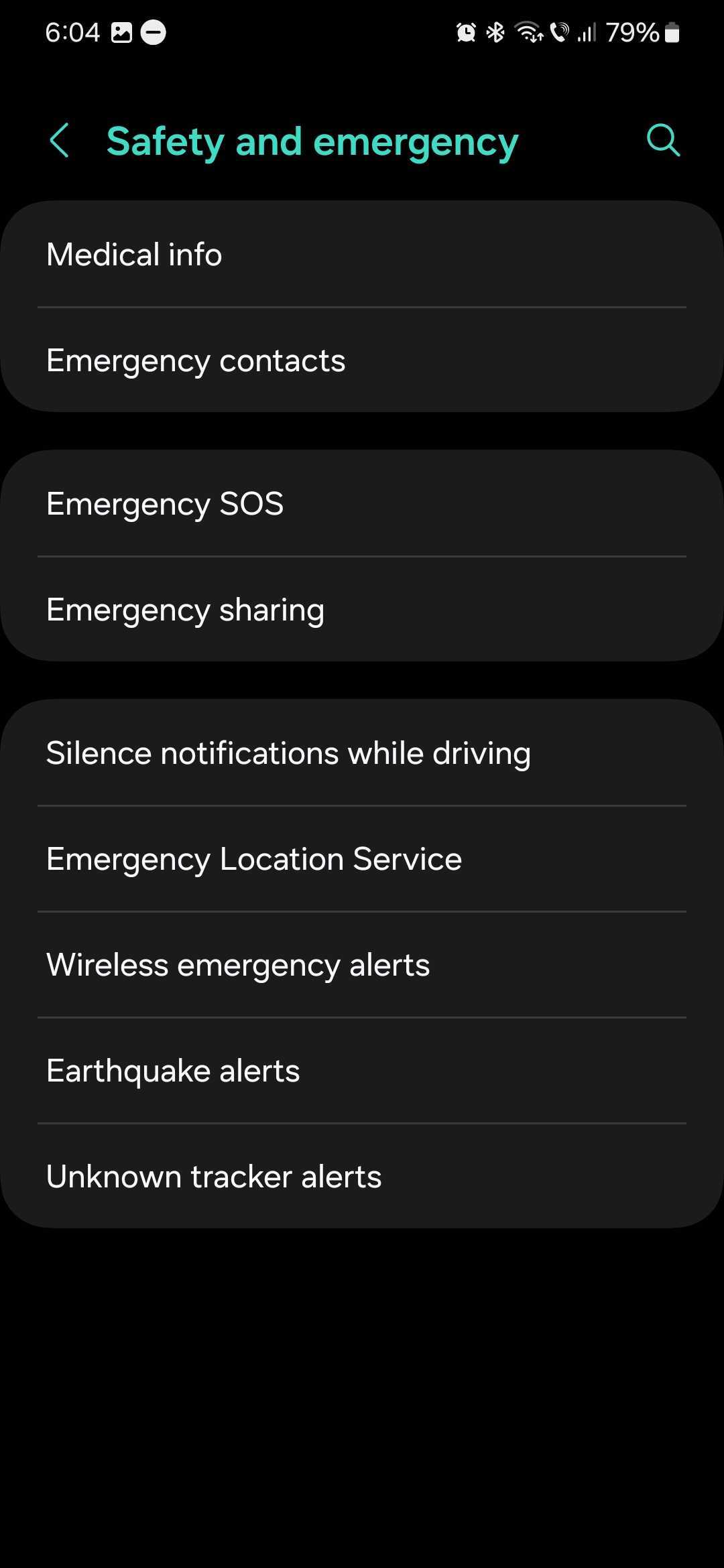
To turn this feature ON, open the Settings app on your Galaxy device, then go to “Safety and emergency” and select “Silence notifications while driving.” Then tap the ON/OFF toggle to turn the feature ON.
Once again, this isn't a One UI 6.0-specific feature developed by Samsung but by Google, and it requires Android 14. But since One UI 6.0 and Android 14 go hand-in-hand, your Samsung phone will need to run the latest One UI version before you can use this new tool.
If you want to create more detailed automations for your phone when you're driving, you should check out Modes & Routines, which most certainly is a One UI-specific feature. To start exploring it, open the “Settings” app on your Galaxy device, go to “Modes and Routines,” select “Driving,” and customize the mode's parameters to your liking.
Mihai is a blogger and column writer at SamMobile. His first Samsung phone was an A800 which took a lot of beating, and a part of him still misses the novelty of the clamshell design. In his free time, he enjoys watching shows, documentaries, and stand-up comedy; listening to music, taking walks, and occasionally playing old(er) video games.