

Last updated: November 16th, 2026 at 17:54 UTC+01:00


One UI 9.5 lets you set custom greetings for AI-powered call screening

It makes AI sound a bit more personal for callers.

Asif Iqbal Shaik

Reading time: 1 minutes

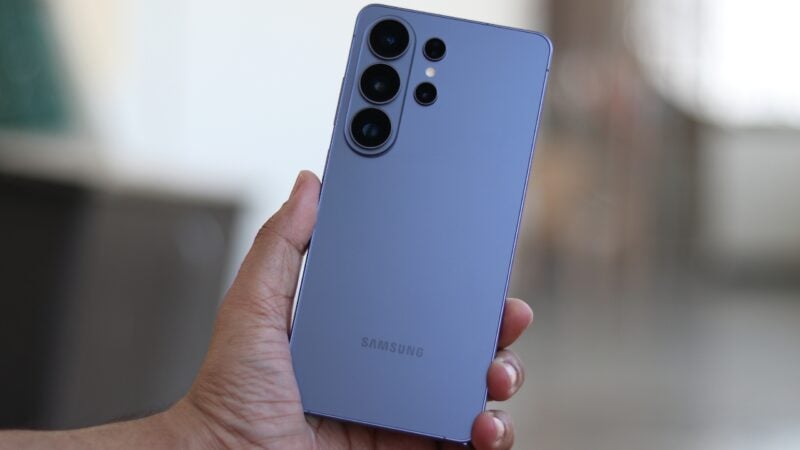
Samsung Galaxy S26 FE Hands-on Calling

Abhijeet Mishra / SamMobile

Galaxy AI

Calling on the Galaxy S26 FE

One UI 9.5 is shaping up to be a substantial update packed with new and improved features. Following our early looks at Samsung's new Memory app and a revamped version of Bixby with agentic AI capabilities, we are back with an exclusive preview of an upcoming call screening feature.

Samsung introduced AI-powered Call Screening with One UI 9.0 earlier this year, and it plans to expand the tool with a Custom Greeting option in One UI 9.5. The feature lets you type out a custom message for the AI to read aloud when someone calls, offering a more personal way to greet callers.

Samsung One UI 9.5 Call Screening Settings

Asif Iqbal Shaik / SamMobile

Call Screening settings in One UI 9.5

Samsung One UI 9.5 Call Screening Custom Greeting

Asif Iqbal Shaik / SamMobile

Custom Greetings for Call Screening in One UI 9.5

You will be able to access this setting by navigating to Settings > Galaxy AI > Call assist > Call screening and tapping Greetings. However, availability may be limited to select markets, and the feature will not work while roaming outside your home country.

Samsung is expected to open the One UI 9.5 Beta Program for the Galaxy S26 series sometime next week. The company will likely introduce even more features to One UI 9.5 alongside the Galaxy S27 series early next year.