


Last updated: November 14th, 2026 at 23:08 UTC+01:00
SamMobile has affiliate and sponsored partnerships, we may earn a commission.
Expert RAW is getting both a visual and functional upgrade.
Reading time: 3 minutes
Abhijeet Mishra / SamMobile
Samsung is making some big changes to Expert RAW for the Galaxy S27 series and One UI 9.5. We got access to an early version of the app, which brings a redesigned interface, more customization, and additional shooting controls.
The changes are visible as soon as you open the app. Manual controls have clearer labels and larger adjustment panels, while the quick controls menu has expanded into a multi-row grid. Several menus also use more translucent panels.
SamMobile
Expert RAW quick controls
SamMobile
Expert RAW mode selector
A shooting mode selector at the top left now opens a grid containing Expert and familiar tools such as Virtual Aperture, Virtual Reflector, ND filter, and astrophotography.
These features already exist, but Samsung has changed how you access them. You can also force the app to remember the last used mode every time you launch it.
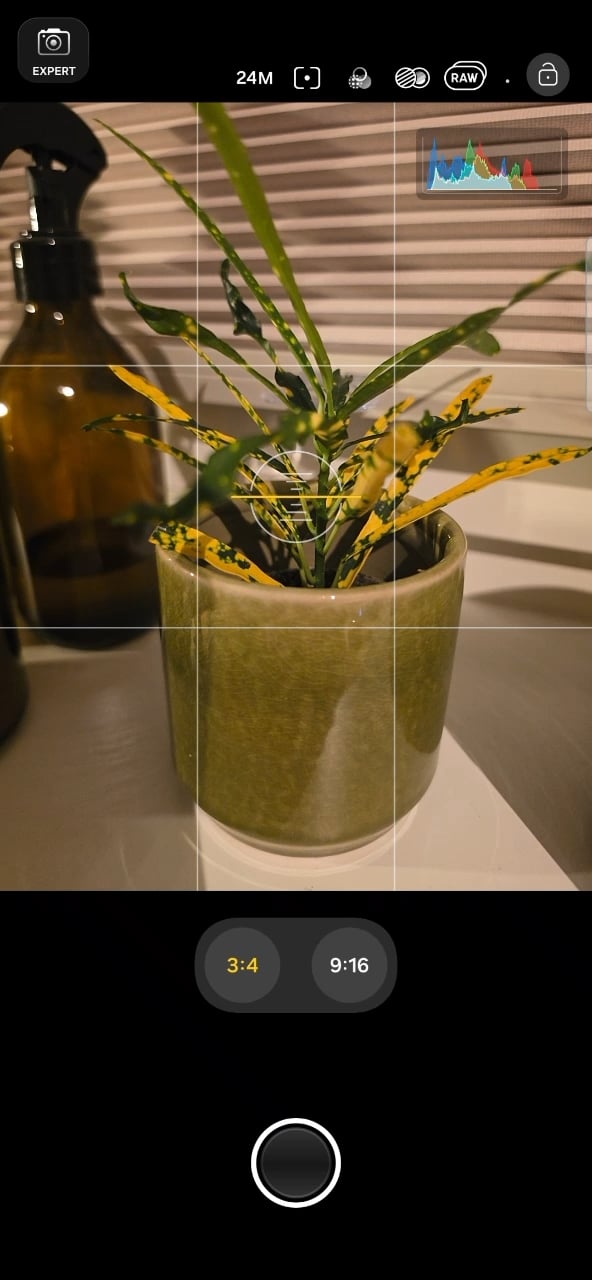
There are also two customizable buttons beside the shutter. You can assign them to camera settings, exposure lock, picture size, timer, ratio, metering, histogram, focus peaking, or autofocus area selection. This lets you keep frequently used controls within easy reach.
SamMobile
Customizable shutter-side shortcut buttons
SamMobile
Customizable shutter-side shortcut buttons
A new padlock button at the top right locks the camera settings to prevent accidental changes. Tapping it again unlocks them.
The histogram has received an upgrade, too. Tapping the small graph opens a larger panel with separate white, red, green, and blue plots, giving you a more detailed view than the compact overlay.
SamMobile
Updated histogram
SamMobile
Screen lock option
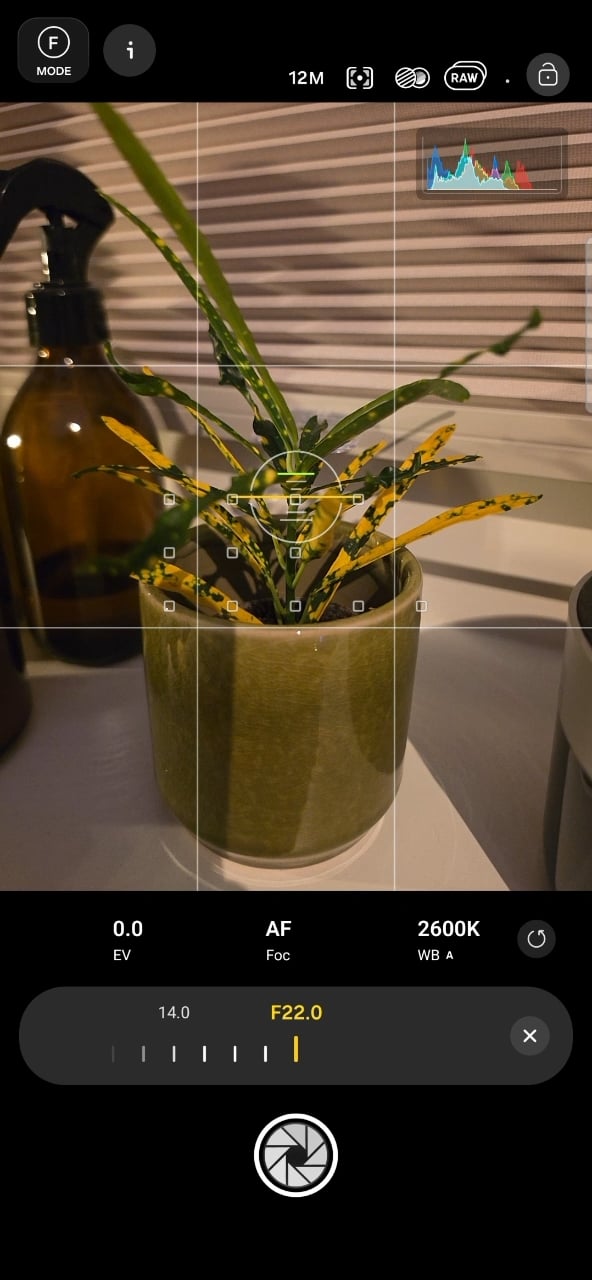
Virtual Aperture currently tops out at f/16 on the Galaxy S26 Ultra. In the new app, you can select values from f/1.4 all the way to f/22, expanding the range of the simulated aperture control.
As before, Virtual Aperture uses software to simulate changes to depth of field and background blur. The Galaxy S27 series isn't expected to feature a camera with physical variable aperture.
Samsung is also adding a dedicated Burst mode. The app says it can capture up to 30 shots in each session and save them in DNG format, giving you RAW files to edit afterward. A warning about these photos using more storage is shown as well.
SamMobile
Virtual aperture goes up to F22 vs F16 on S26 series
SamMobile
Expert RAW burst mode
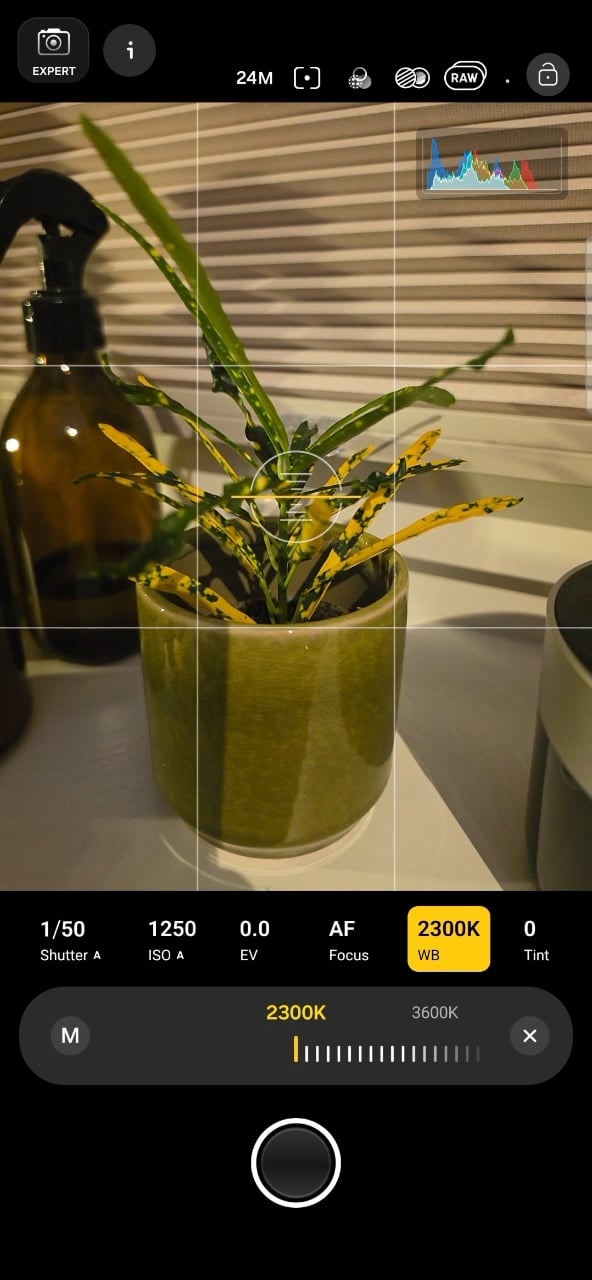
Another addition is a separate Tint control alongside the white balance adjustment. Expert RAW currently allows only temperature adjustment when manually changing white balance. Samsung has also added the option to change the aspect ratio for shooting photos.
SamMobile
White balance tint control
SamMobile
Expert RAW aspect ratio control
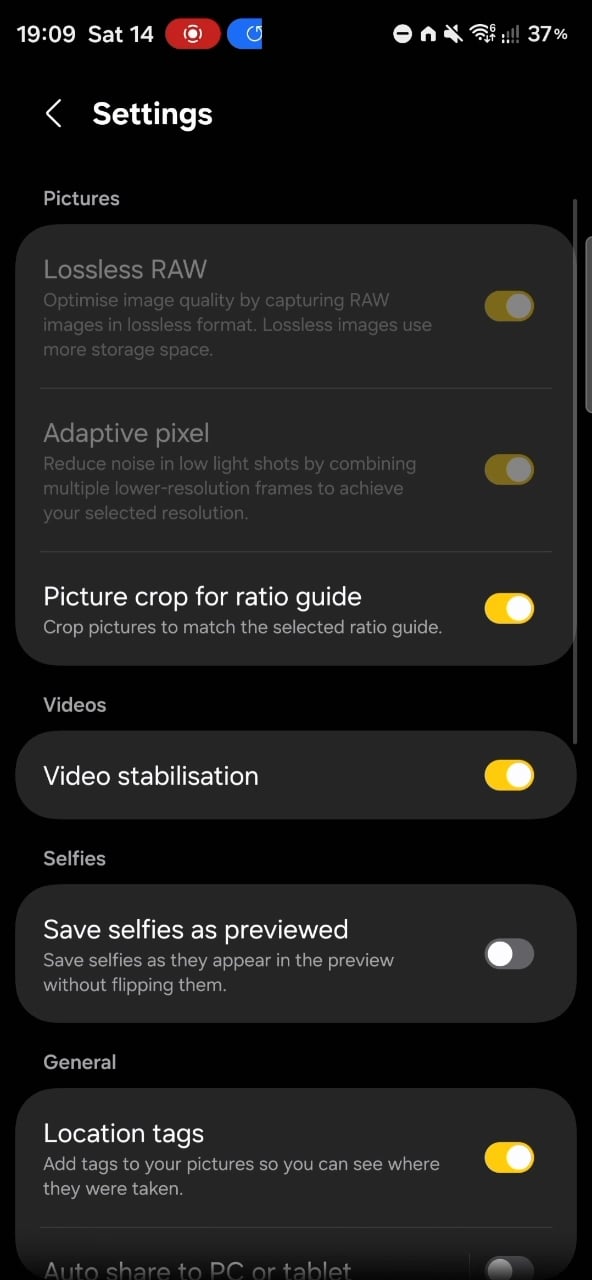
Expert RAW currently doesn’t support video recording, but the new app includes signs that Samsung is working on it.
There is a Videos section in settings with a Video stabilization toggle, and Ocean mode has the option to change video resolution and frame rate. These suggest video-related changes are being developed, though video capture doesn't currently work in this build.
The supported recording modes and resolutions therefore remain unclear. This is still an early version of the app, and Samsung may make further changes as development on the Galaxy S27 series and One UI 9.5 continues.
SamMobile
Video stabilization option in Expert RAW